What are TikTok emojis?
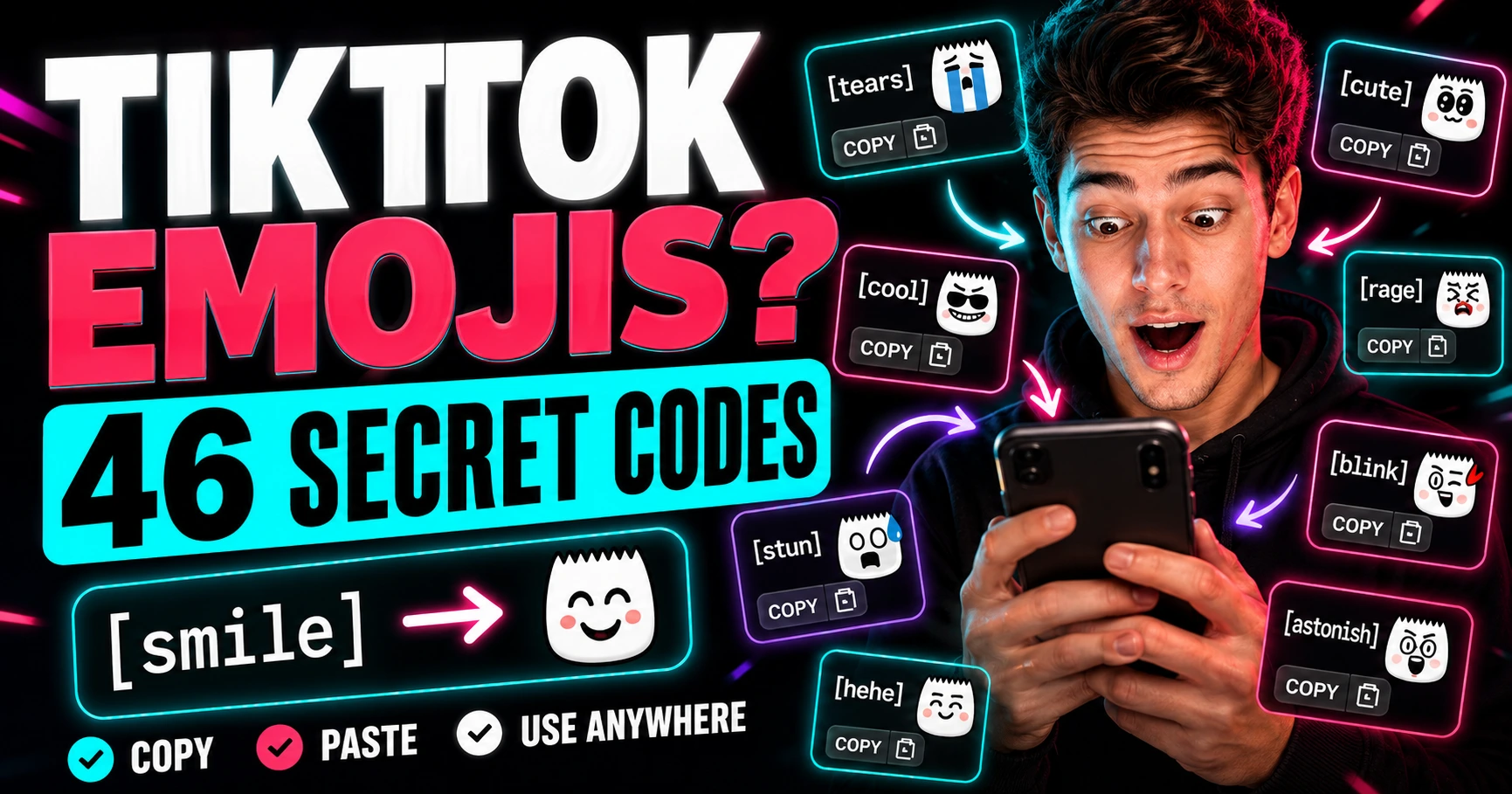
TikTok emojis are special emoji-style icons that can appear when you type certain shortcodes inside square brackets.
For example, instead of choosing an emoji from your phone keyboard, you type a code such as [smile]. On TikTok, that code may render as a custom TikTok emoji when supported.
These are often called hidden TikTok emojis, secret TikTok emojis, or TikTok emoji codes because they are not always visible in the normal emoji keyboard. You need to know the exact code before you can use one.
That is why a searchable list is useful. Instead of guessing codes, you can copy them directly from the TikTok Emojis page on PeekProfile.
In this guide
- What are TikTok emojis?
- How do TikTok emoji codes work?
- How many TikTok emojis are there?
- What are the most popular TikTok emojis?
- How do you copy and use TikTok emojis?
- Where can you find all TikTok emoji meanings?
- Frequently asked questions
How do TikTok emoji codes work?
TikTok emoji codes work by using a word inside square brackets.
The format looks like this:
[tiktok-code]
A real example looks like this:
[smile]
When typed correctly in supported TikTok areas, the code may turn into a TikTok-style emoji. The code needs to be typed carefully, including the square brackets.
If the code is misspelled, missing a bracket, or used somewhere that does not support TikTok emoji rendering, it may stay as plain text.
This is different from normal Unicode emojis like 😂, ❤️, or 😭. Normal emojis come from your device keyboard. TikTok hidden emojis use TikTok-specific text codes.
How many TikTok emojis are there?
There are commonly documented as 46 hidden TikTok emojis.
These include codes for different emotions and reactions, such as happy, sad, angry, shocked, embarrassed, proud, and playful expressions.
Some popular examples include:
[smile]
The [smile] code is one of the most searched TikTok emojis because it is simple, friendly, and easy to use in comments.
[happy]
The [happy] code is useful when you want a cheerful reaction that feels more TikTok-specific than a normal smile emoji.
[cry]
The [cry] code is often used for emotional, funny, dramatic, or relatable comments.
[angry]
The [angry] code can be used when reacting to frustrating, intense, or exaggerated situations.
[wronged]
The [wronged] code is popular because it expresses a very specific emotional reaction that normal emojis do not always capture well.
For the full searchable list, use the PeekProfile TikTok Emojis page.
What are the most popular TikTok emojis?
The most popular TikTok emojis are usually the ones that match common comment reactions.
Users often search for:
happy TikTok emoji
smile TikTok emoji
cry TikTok emoji
angry TikTok emoji
cute TikTok emoji
shock TikTok emoji
TikTok emoji codes
TikTok emoji meanings
These searches show that people are not only looking for the icons. They also want to know what each code means and when to use it.
That is why a good TikTok emoji list should include three things: the visual emoji, the copyable code, and the meaning.
How do you copy and use TikTok emojis?
The easiest way to use TikTok emojis is to copy the shortcode and paste it into TikTok.
A simple process looks like this:
Go to the TikTok Emojis page.
Search for the emoji you want.
Copy the code, such as [smile] or [happy].
Paste the code into a TikTok comment, caption, or supported text field.
Post or preview it inside TikTok.
If TikTok supports the code in that area, it may render as the hidden emoji. If not, it may stay as plain text.
Because TikTok features can change, do not assume every code will render the same way in every area, app version, or device. The safest approach is to test the code in TikTok before relying on it.
Where can you find all TikTok emoji meanings?
You can find TikTok emoji meanings on PeekProfile’s TikTok Emojis page.
The page includes all 46 TikTok emoji codes, copy buttons, visual emoji cards, categories, search, and meaning explanations. It is designed to help users quickly find the right code without scrolling through messy lists.
Use it when you want to find:
TikTok emoji codes
TikTok emoji meanings
happy TikTok emoji codes
angry TikTok emoji codes
smile TikTok emoji codes
copy-paste TikTok emoji shortcodes
The main goal is simple: help you copy the right code faster and understand what it means before using it.
Try the PeekProfile TikTok Emojis tool to search, filter, and copy TikTok emoji codes.
Are TikTok emojis the same as normal emojis?
No, TikTok emojis are not the same as normal keyboard emojis.
Normal emojis are Unicode characters that usually work across many apps, keyboards, and devices. TikTok emojis are shortcodes that may render as TikTok-specific graphics inside TikTok.
For example, 😂 is a normal emoji. A code like [laugh] is a TikTok-style shortcode.
This difference matters because normal emojis are easier to type from your keyboard, while TikTok hidden emojis require knowing the exact code.
Can TikTok emojis help comments stand out?
Yes, TikTok emojis can help comments feel more expressive, but they should be used naturally.
A comment with one good emoji code can feel playful, funny, or more platform-native. But overusing emoji codes can make a comment look spammy or difficult to read.
A better approach is to use TikTok emojis when they match the tone of the comment.
For example:
Use [smile] for friendly reactions.
Use [cry] for emotional or funny reactions.
Use [shock] for surprise.
Use [angry] carefully when the tone is clearly exaggerated or playful.
Use [loveface] when the reaction is positive or affectionate.
Good comments still need real words. Emojis should support the message, not replace it completely.
Where can you verify TikTok emoji information?
You can compare TikTok emoji code information with trusted emoji references and TikTok’s own Help Center.
Useful resources include:
Emojipedia guide to secret emojis on TikTok
TikTok stickers Help Center page
TikTok direct messages Help Center page
TikTok can update app behavior over time, so treat any emoji list as a practical reference and test codes inside TikTok when accuracy matters.
How PeekProfile helps with TikTok tools
PeekProfile is a public TikTok viewer and TikTok utility site.
For emoji codes, use the TikTok Emojis page to copy hidden TikTok emoji codes and read their meanings.
For public TikTok browsing, use the TikTok Viewer to browse publicly available TikTok content with no TikTok login required. You can also use the TikTok Profile Viewer for public profile information and the TikTok Story Viewer for public stories when available.
PeekProfile only supports public TikTok content. It does not access private accounts, hidden content, restricted content, TikTok login-protected areas, private analytics, messages, or account credentials. It does not collect TikTok login credentials and does not override TikTok security or privacy settings.
To understand the tool better, read How PeekProfile Works or visit About PeekProfile.
Copy TikTok emojis safely
If your goal is to use TikTok emojis quickly, use a clean copy-paste page instead of random downloads or unknown files.
PeekProfile lets you search and copy TikTok emoji codes from a browser. You do not need to provide your TikTok login details, install an app, or download anything to copy the codes.
Try the PeekProfile TikTok Emojis page for all 46 TikTok emoji codes and meanings.
What is the safest answer?
The safest answer is this: TikTok emojis are hidden shortcode-based emojis that work by typing codes such as [smile], [happy], or [cry] inside square brackets.
They are useful for comments and captions when supported, but they are different from normal keyboard emojis. If you want the full list, meanings, and copy buttons, use a trusted reference and test the code inside TikTok.
For a fast copy-paste experience, use TikTok Emojis on PeekProfile.