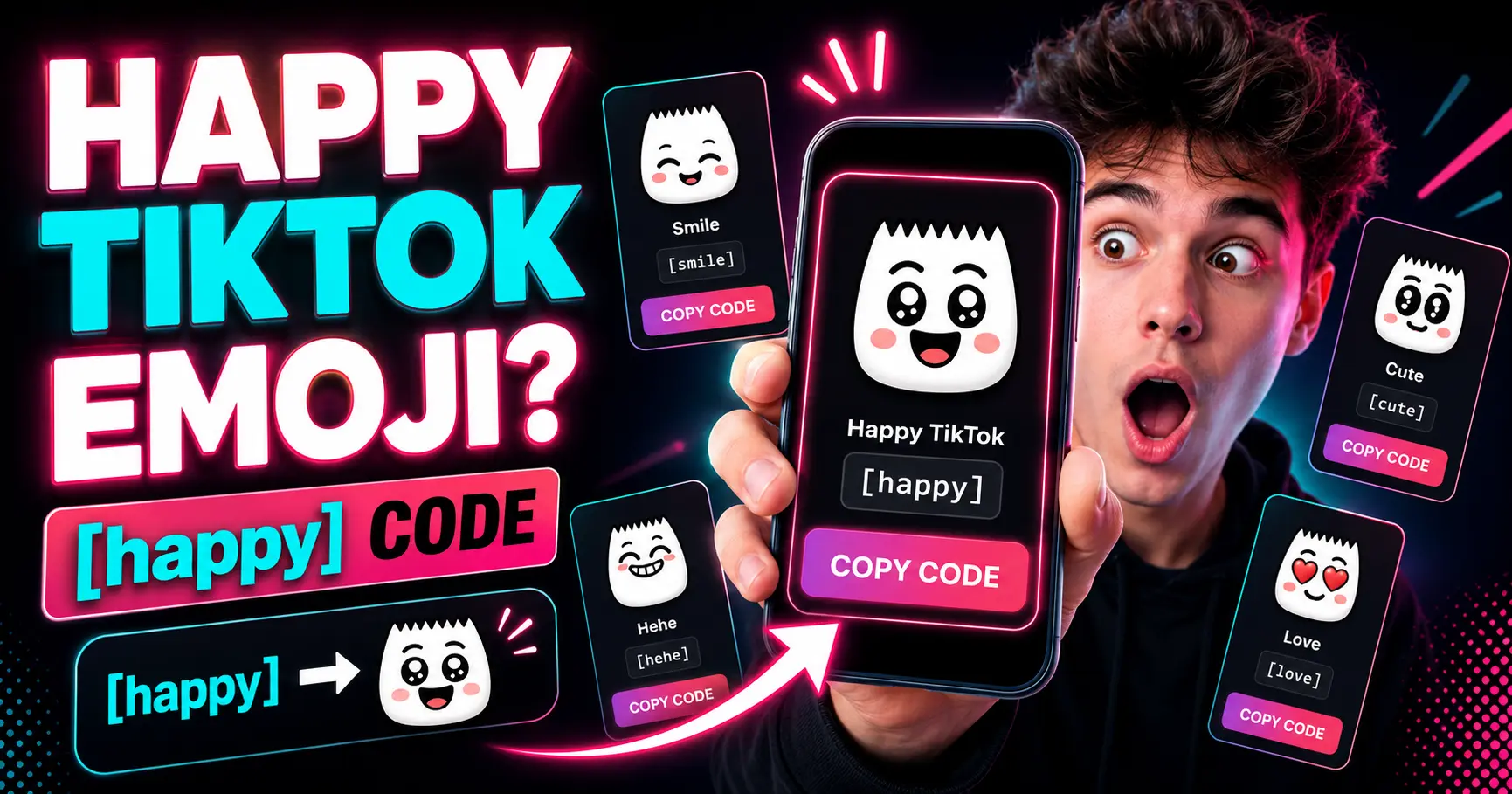
What is the happy TikTok emoji?
The happy TikTok emoji is one of TikTok’s hidden emoji-style reactions.
Instead of selecting it from your phone’s normal emoji keyboard, you use a text shortcode. For the happy emoji, the shortcode is:
[happy]
When TikTok supports the code in that text area, it may render as a custom TikTok-style emoji. If the code is typed incorrectly or used somewhere unsupported, it may stay as plain text.
This is why many users search for TikTok emoji codes. The emojis are useful, but the codes are not always easy to discover inside the app.
You can copy the happy TikTok emoji code from the TikTok Emojis page on PeekProfile.
In this guide
- What is the happy TikTok emoji?
- What does the happy TikTok emoji mean?
- How do you use the happy TikTok emoji?
- What is the difference between [happy] and [smile]?
- Where can you copy the happy TikTok emoji?
- Frequently asked questions
What does the happy TikTok emoji mean?
The happy TikTok emoji usually means joy, excitement, friendly approval, or a positive reaction.
It works well when a comment feels cheerful but you want something more TikTok-specific than a normal smile emoji. For example, you might use it when reacting to a funny video, a cute moment, a creator update, a positive announcement, or a comment that feels wholesome.
The meaning can still depend on context. Like most emojis, [happy] can be used sincerely, playfully, or casually. It is not a formal symbol with one strict definition.
A safe way to think about it is:
[happy] = cheerful reaction, positive mood, friendly excitement.
How do you use the happy TikTok emoji?
To use the happy TikTok emoji, copy the shortcode [happy] and paste it into a supported TikTok text field.
A simple process looks like this:
Go to the TikTok Emojis page.
Find the happy TikTok emoji.
Copy the code [happy].
Paste it into a TikTok comment, caption, or supported text area.
Post or preview it inside TikTok.
If TikTok supports the code there, it may turn into the hidden emoji. If it does not render, check that the code is lowercase, spelled correctly, and includes both square brackets.
Do not add extra spaces inside the brackets. Write [happy], not [ happy ].
What is the difference between [happy] and [smile]?
[happy] and [smile] are both positive TikTok emoji codes, but they can feel slightly different.
The [happy] emoji is better for stronger excitement, cheerful reactions, or moments that feel more energetic. It can be useful when you want your comment to feel warm and expressive.
The [smile] emoji is usually simpler and more neutral. It can work for friendly comments, polite reactions, or soft positivity.
For example:
Use [happy] when a video makes you excited or genuinely cheerful.
Use [smile] when you want a simple friendly reaction.
Both can work in positive comments. The best choice depends on the tone you want.
When should you use the happy TikTok emoji?
Use the happy TikTok emoji when the reaction feels positive, friendly, or excited.
Good moments for [happy] include:
A creator shares good news.
A video is cute or wholesome.
A comment thread feels friendly.
A tutorial helped you.
A transformation or result looks impressive.
A funny video made you smile.
For example:
This made my day [happy]
That ending was so cute [happy]
I needed this today [happy]
You can also combine [happy] with normal text, but avoid overusing it. One emoji code is usually enough to make the comment stand out without looking spammy.
Can the happy TikTok emoji help comments stand out?
Yes, the happy TikTok emoji can help a comment feel more expressive, but it should be used naturally.
TikTok comments move quickly. A custom-looking emoji can make your comment feel more playful or platform-native. However, using too many emoji codes can make a comment look low quality.
The strongest comments still have real words. Emojis should support the message, not replace it completely.
A good comment might be:
This is such a good reminder [happy]
A weaker comment might be:
[happy] [happy] [happy] [happy] [happy]
The first one feels human. The second one can look spammy.
Where can you copy the happy TikTok emoji?
You can copy the happy TikTok emoji from PeekProfile’s TikTok Emojis page.
The page includes all 46 hidden TikTok emoji codes, visual emoji cards, meanings, search, categories, and copy buttons. It is designed to help users find the right TikTok emoji code quickly.
Use the page when you want to copy:
happy TikTok emoji
smile TikTok emoji
cute TikTok emoji
angry TikTok emoji
cry TikTok emoji
TikTok emoji codes
TikTok emoji meanings
Try the PeekProfile TikTok Emojis tool to copy [happy] and explore related codes.
Are TikTok emojis official keyboard emojis?
No, TikTok emojis are not the same as standard keyboard emojis.
Normal emojis, such as 😊 or 😂, are Unicode characters that work across many apps and devices. TikTok hidden emojis work through shortcodes like [happy], [smile], [cry], or [cute].
That means TikTok emoji codes may not work everywhere. They are mainly useful inside TikTok-supported areas. If you paste [happy] into another app, it will usually stay as text instead of turning into the TikTok emoji.
Why is the happy TikTok emoji not working?
The happy TikTok emoji may not work if the code is typed incorrectly, used in an unsupported area, or affected by TikTok app behavior.
Check these common issues:
The code must be [happy].
The brackets must be included.
The spelling should be lowercase.
There should be no extra spaces inside the brackets.
The text area must support TikTok hidden emojis.
The app may need to be updated.
TikTok can change how features work, so test the code inside TikTok before relying on it.
Where can you verify TikTok emoji information?
You can compare TikTok emoji codes with trusted emoji references and TikTok’s own Help Center.
Useful resources include:
Emojipedia guide to secret emojis on TikTok
TikTok stickers Help Center page
TikTok can update app behavior over time, so treat emoji lists as practical references and test codes inside TikTok when accuracy matters.
How PeekProfile helps with TikTok emojis
PeekProfile helps users copy TikTok emoji codes and understand what they mean.
For the happy TikTok emoji, use the TikTok Emojis page to copy [happy], see the visual emoji, and compare it with related codes like [smile], [cute], [hehe], and [joyful].
PeekProfile also offers public TikTok tools. You can use the TikTok Viewer to browse publicly available TikTok content with no TikTok login required. You can use the TikTok Profile Viewer for public profile information and the TikTok Story Viewer for public stories when available.
PeekProfile only supports public TikTok content. It does not access private accounts, hidden content, restricted content, TikTok login-protected areas, private analytics, messages, or account credentials. It does not collect TikTok login credentials and does not override TikTok security or privacy settings.
To understand the tool better, read How PeekProfile Works or visit About PeekProfile.
Copy the happy TikTok emoji safely
If you only need the happy TikTok emoji code, do not download random files or install unknown apps.
A clean copy-paste page is enough. PeekProfile lets you copy TikTok emoji codes from your browser without asking for TikTok login credentials.
Try the PeekProfile TikTok Emojis page to copy [happy] and all other TikTok emoji codes.
What is the safest answer?
The safest answer is this: the happy TikTok emoji uses the code [happy] and is mainly used for cheerful, positive, or excited reactions.
It is part of TikTok’s hidden shortcode emoji style, not a normal keyboard emoji. If it does not work, check the spelling, brackets, supported text area, and TikTok app behavior.
For the full list, use the TikTok Emojis page on PeekProfile.